Cost-Efficient Llama 3 Model Deployment
Today, we’re excited to announce the availability of Meta Llama 3 inference on AWS Trainium and AWS Inferentia based instances in Amazon SageMaker JumpStart. The Meta Llama 3 models are a collection of pre-trained and fine-tuned generative text models. Amazon Elastic Compute Cloud (Amazon EC2) Trn1 and Inf2 instances, powered by AWS Trainium and AWS Inferentia2, provide the most cost-effective way to deploy Llama 3 models on AWS. They offer up to 50% lower cost to deploy than comparable Amazon EC2 instances. They not only reduce the time and expense involved in training and deploying large language models (LLMs), but also provide developers with easier access to high-performance accelerators to meet the scalability and efficiency needs of real-time applications, such as chatbots and AI assistants.
In this post, we demonstrate how easy it is to deploy Llama 3 on AWS Trainium and AWS Inferentia based instances in SageMaker JumpStart.
Meta Llama 3 model on SageMaker Studio
SageMaker JumpStart provides access to publicly available and proprietary foundation models (FMs). Foundation models are onboarded and maintained from third-party and proprietary providers. As such, they are released under different licenses as designated by the model source. Be sure to review the license for any FM that you use. You are responsible for reviewing and complying with applicable license terms and making sure they are acceptable for your use case before downloading or using the content.
You can access the Meta Llama 3 FMs through SageMaker JumpStart on the Amazon SageMaker Studio console and the SageMaker Python SDK. In this section, we go over how to discover the models in SageMaker Studio.
SageMaker Studio is an integrated development environment (IDE) that provides a single web-based visual interface where you can access purpose-built tools to perform all machine learning (ML) development steps, from preparing data to building, training, and deploying your ML models. For more details on how to get started and set up SageMaker Studio, refer to Get Started with SageMaker Studio.
On the SageMaker Studio console, you can access SageMaker JumpStart by choosing JumpStart in the navigation pane. If you’re using SageMaker Studio Classic, refer to Open and use JumpStart in Studio Classic to navigate to the SageMaker JumpStart models.
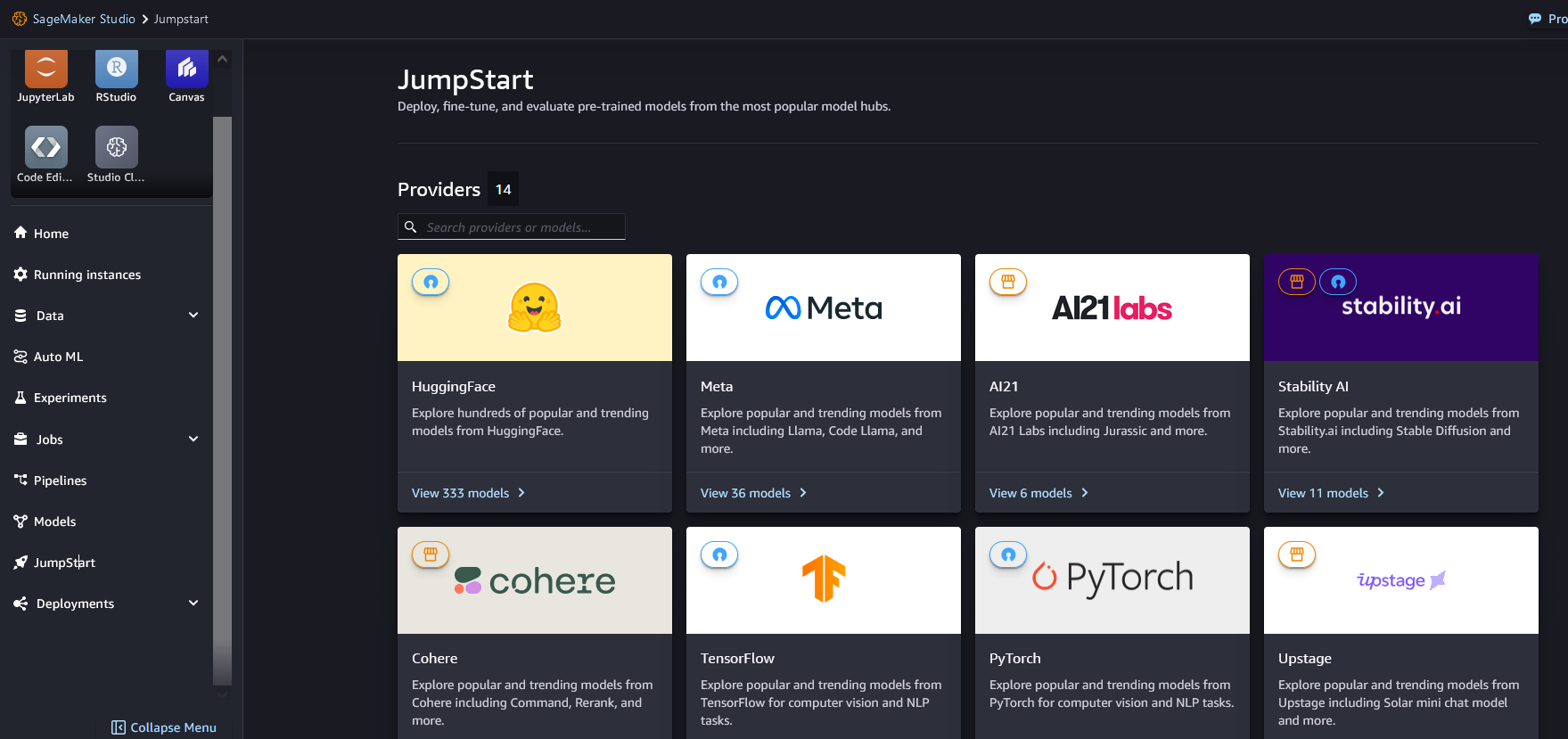
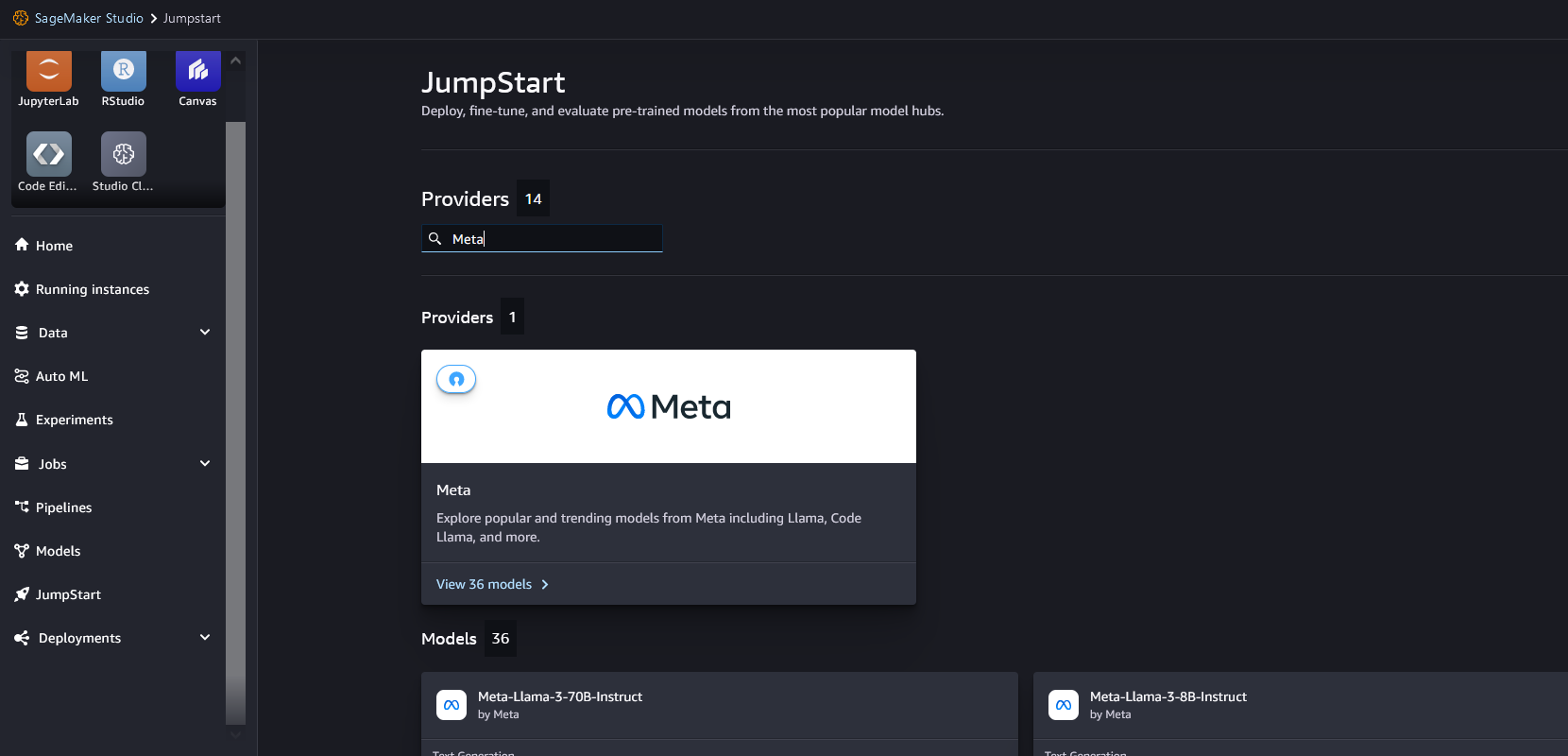
From the SageMaker JumpStart landing page, you can search for “Meta” in the search box.
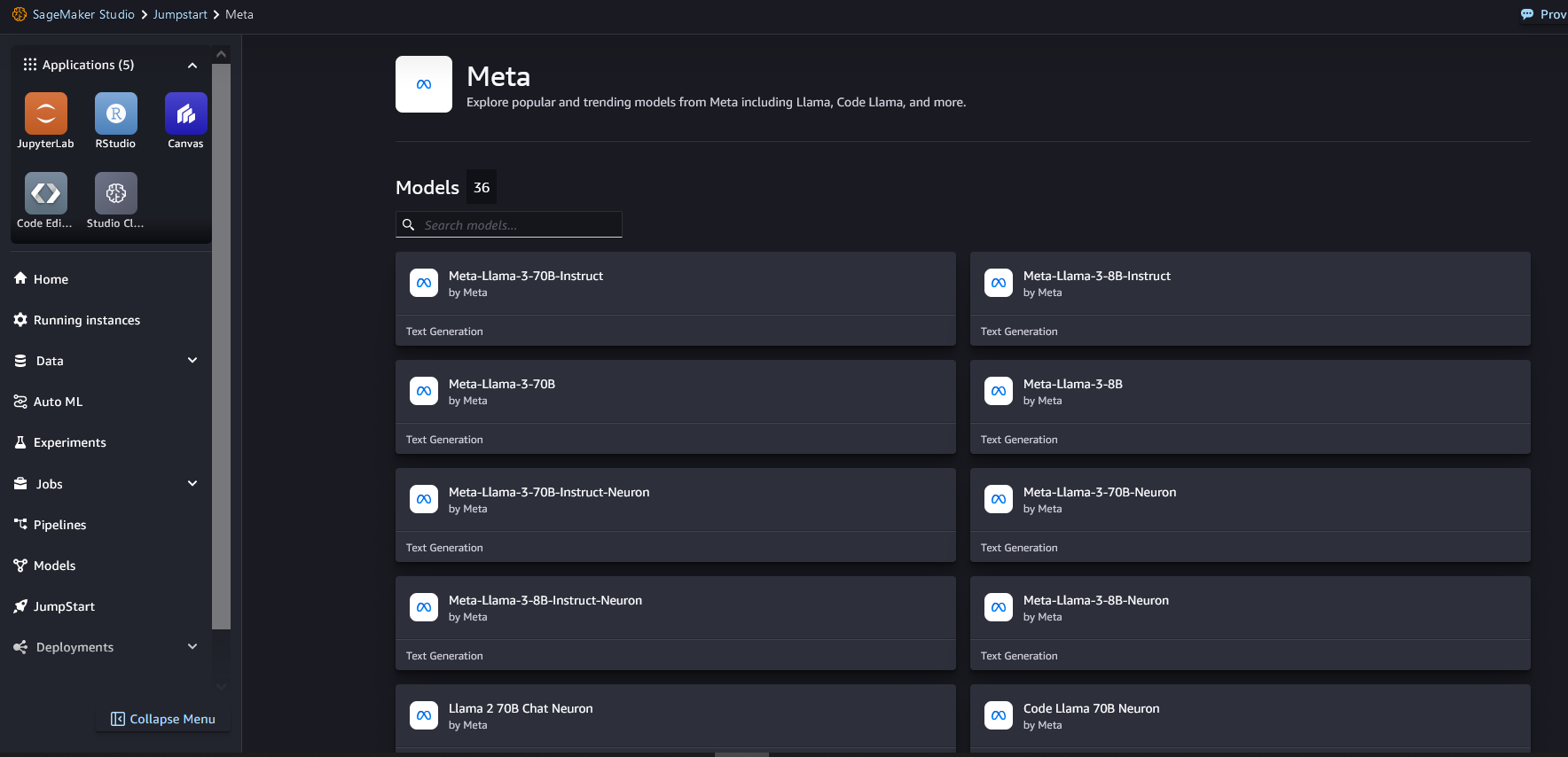
Choose the Meta model card to list all the models from Meta on SageMaker JumpStart.
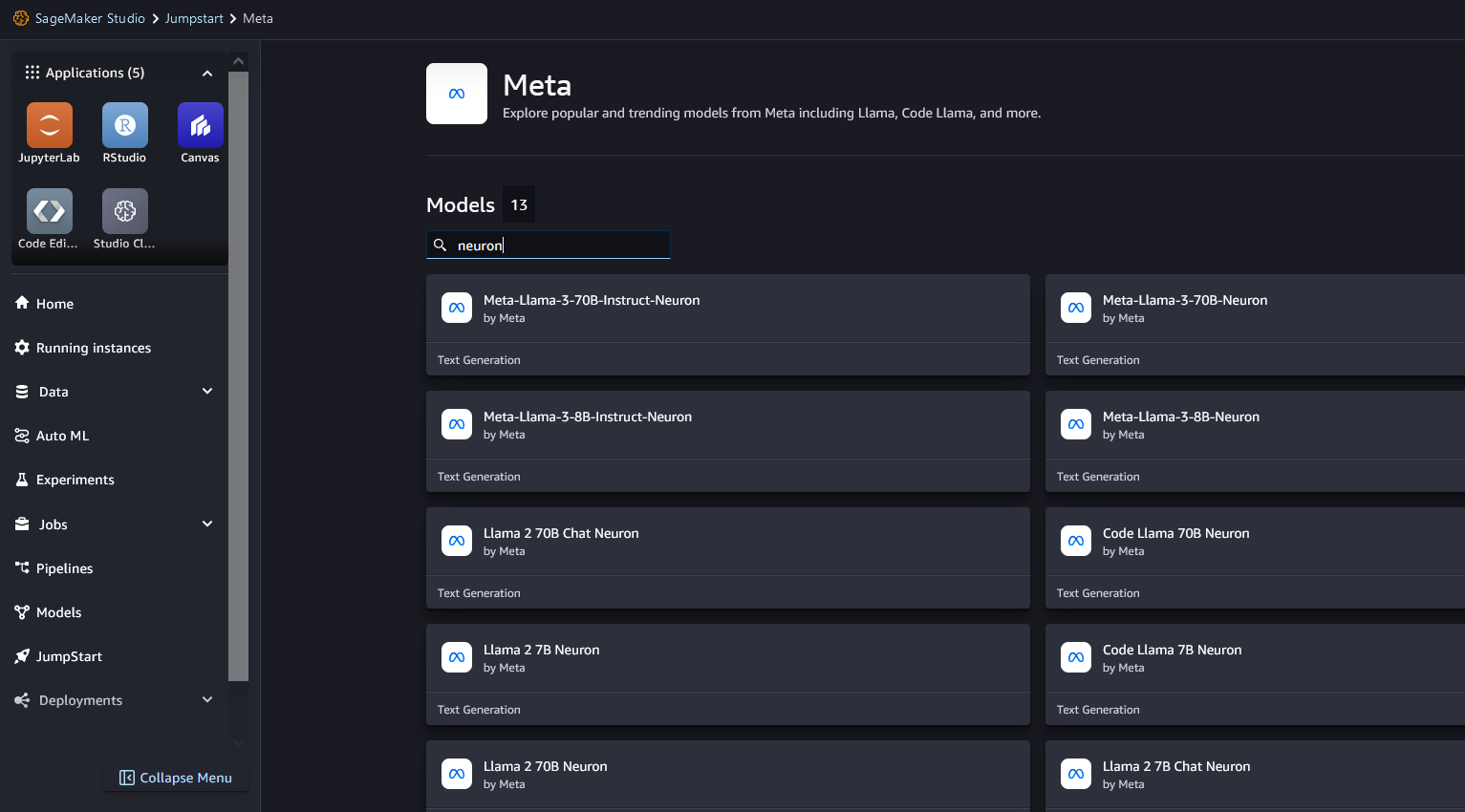
You can also find relevant model variants by searching for “neuron.” If you don’t see Meta Llama 3 models, update your SageMaker Studio version by shutting down and restarting SageMaker Studio.
No-code deployment of the Llama 3 Neuron model on SageMaker JumpStart
You can choose the model card to view details about the model, such as the license, data used to train, and how to use it. You can also find two buttons, Deploy and Preview notebooks, which help you deploy the model.
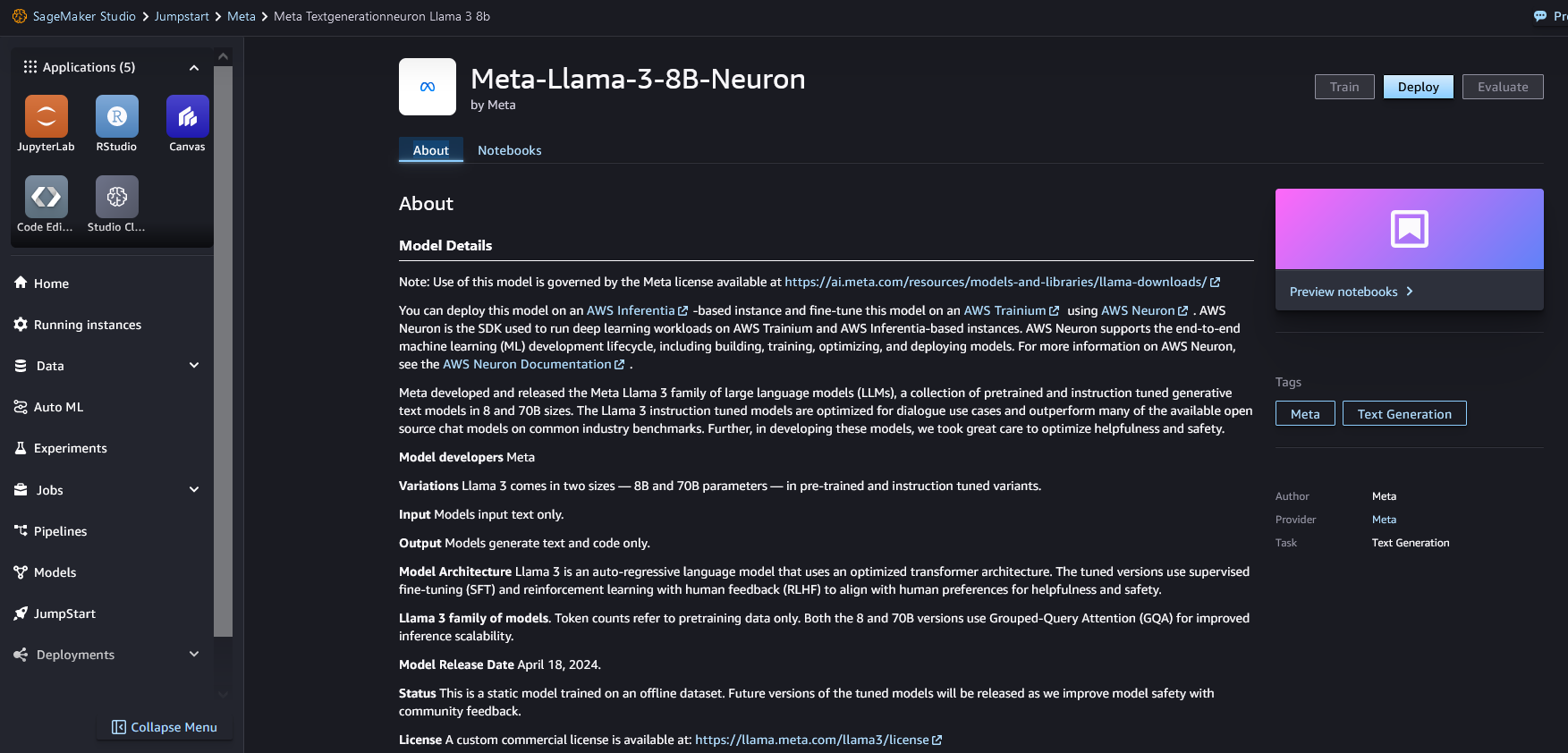
When you choose Deploy, the page shown in the following screenshot appears. The top section of the page shows the end-user license agreement (EULA) and acceptable use policy for you to acknowledge.
After you acknowledge the policies, provide your endpoint settings and choose Deploy to deploy the endpoint of the model.
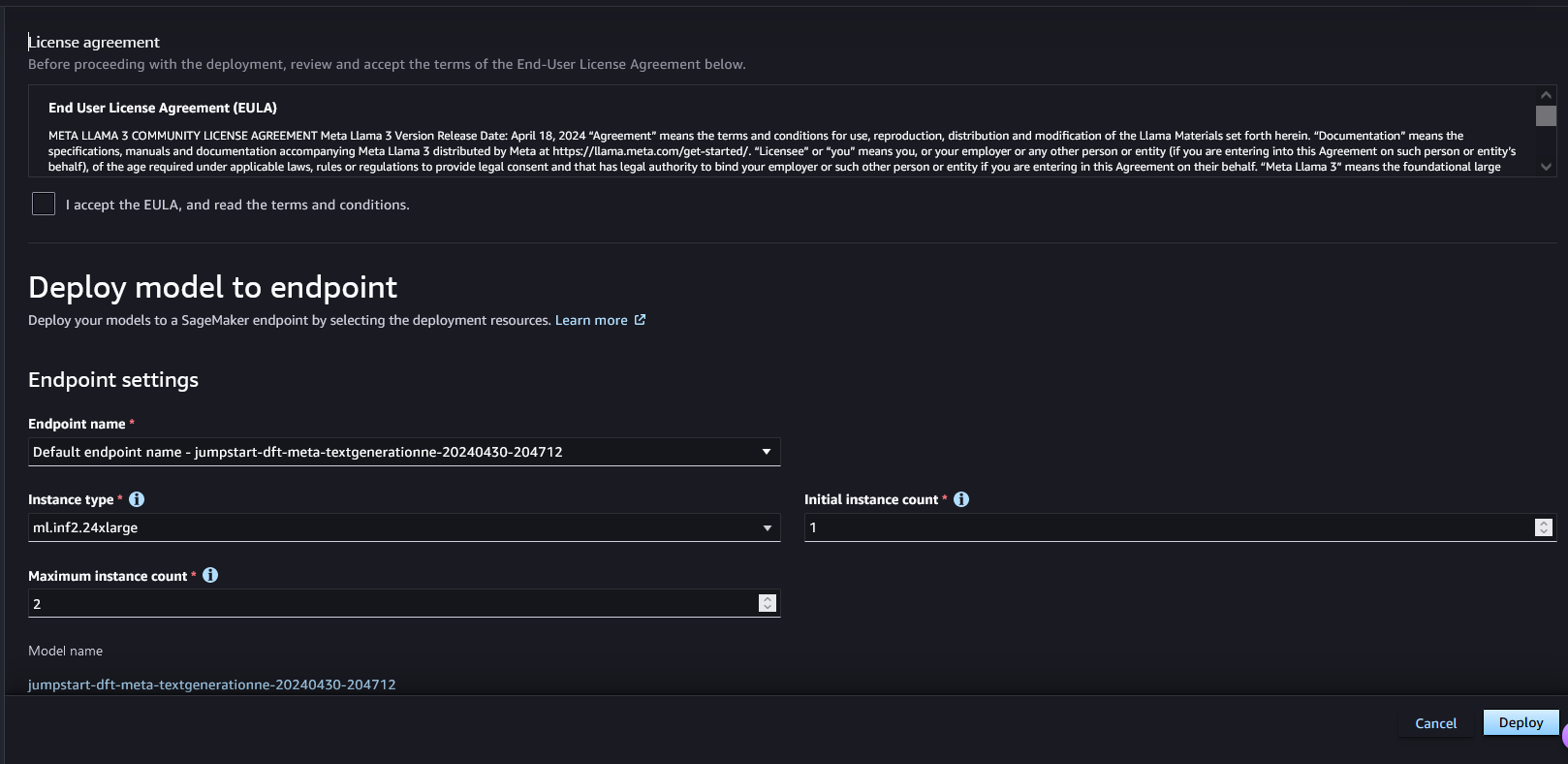
Alternatively, you can deploy through the example notebook by choosing Open Notebook. The example notebook provides end-to-end guidance on how to deploy the model for inference and clean up resources.
Meta Llama 3 deployment on AWS Trainium and AWS Inferentia using the SageMaker JumpStart SDK
In SageMaker JumpStart, we have pre-compiled the Meta Llama 3 model for a variety of configurations to avoid runtime compilation during deployment and fine-tuning. The Neuron Compiler FAQ has more details about the compilation process.
There are two ways to deploy Meta Llama 3 on AWS Inferentia and Trainium based instances using the SageMaker JumpStart SDK. You can deploy the model with two lines of code for simplicity, or focus on having more control of the deployment configurations. The following code snippet shows the simpler mode of deployment:

To perform inference on these models, you need to specify the argument accept_eula as True as part of the model.deploy() call. This means you have read and accepted the EULA of the model. The EULA can be found in the model card description or from https://ai.meta.com/resources/models-and-libraries/llama-downloads/.
The default instance type for Meta LIama-3-8B is is ml.inf2.24xlarge. The other supported model IDs for deployment are the following:
- meta-textgenerationneuron-llama-3-70b
- meta-textgenerationneuron-llama-3-8b-instruct
- meta-textgenerationneuron-llama-3-70b-instruct
SageMaker JumpStart has pre-selected configurations that can help get you started, which are listed in the following table. For more information about optimizing these configurations further, refer to advanced deployment configurations
LIama-3 8B and LIama-3 8B Instruct | |||||
Instance type | OPTION_N_POSITI | ONS | OPTION_MAX_ROLLING_BATCH_SIZE | OPTION_TENSOR_PARALLEL_DEGREE | OPTION_DTYPE |
ml.inf2.8xlarge | 8192 | 1 | 2 | bf16 | |
ml.inf2.24xlarge (Default) | 8192 | 1 | 12 | bf16 | |
ml.inf2.24xlarge | 8192 | 12 | 12 | bf16 | |
ml.inf2.48xlarge | 8192 | 1 | 24 | bf16 | |
ml.inf2.48xlarge | 8192 | 12 | 24 | bf16 | |
LIama-3 70B and LIama-3 70B Instruct | |||||
ml.trn1.32xlarge | 8192 | 1 | 32 | bf16 | |
ml.trn1.32xlarge(Default) | 8192 | 4 | 32 | bf16 |
The following code shows how you can customize deployment configurations such as sequence length, tensor parallel degree, and maximum rolling batch size:

Now that you have deployed the Meta Llama 3 neuron model, you can run inference from it by invoking the endpoint:

For more information on the parameters in the payload, refer to Detailed parameters.
Refer to Fine-tune and deploy Llama 2 models cost-effectively in Amazon SageMaker JumpStart with AWS Inferentia and AWS Trainium for details on how to pass the parameters to control text generation.
Clean up
After you have completed your training job and don’t want to use the existing resources anymore, you can delete the resources using the following code:

Conclusion
The deployment of Meta Llama 3 models on AWS Inferentia and AWS Trainium using SageMaker JumpStart demonstrates the lowest cost for deploying large-scale generative AI models like Llama 3 on AWS. These models, including variants like Meta-Llama-3-8B, Meta-Llama-3-8B-Instruct, Meta-Llama-3-70B, and Meta-Llama-3-70B-Instruct, use AWS Neuron for inference on AWS Trainium and Inferentia. AWS Trainium and Inferentia offer up to 50% lower cost to deploy than comparable EC2 instances.
In this post, we demonstrated how to deploy Meta Llama 3 models on AWS Trainium and AWS Inferentia using SageMaker JumpStart. The ability to deploy these models through the SageMaker JumpStart console and Python SDK offers flexibility and ease of use. We are excited to see how you use these models to build interesting generative AI applications.
To start using SageMaker JumpStart, refer to Getting started with Amazon SageMaker JumpStart. For more examples of deploying models on AWS Trainium and AWS Inferentia, see the GitHub repo. For more information on deploying Meta Llama 3 models on GPU-based instances, see Meta Llama 3 models are now available in Amazon SageMaker JumpStart.
Originally posted at:

.png)